Connecting Google Analytics, Search Console and Tag Manager to Claude with MCP
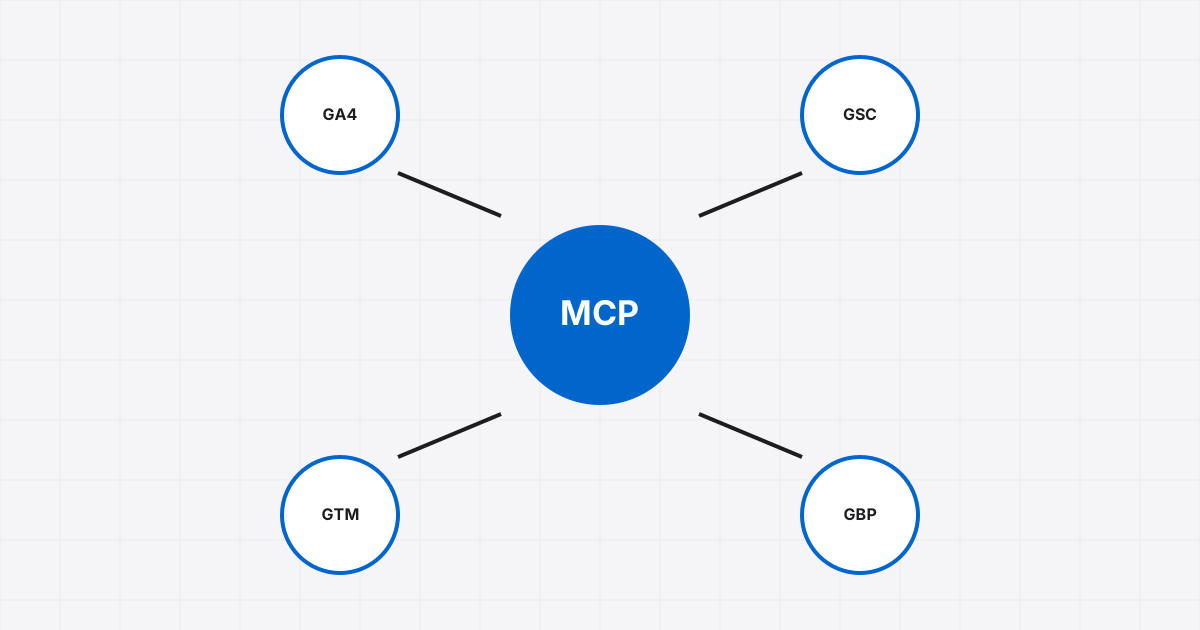
Most of the questions a marketing client asks, "where did the leads come from", "why did traffic drop", "is the ads tag firing", are answerable from Google Analytics, Search Console and Tag Manager. With MCP, Claude can query those services directly instead of you exporting CSVs. Here is what exists, what we built ourselves, and how we keep it safe.
The official one: Google Analytics
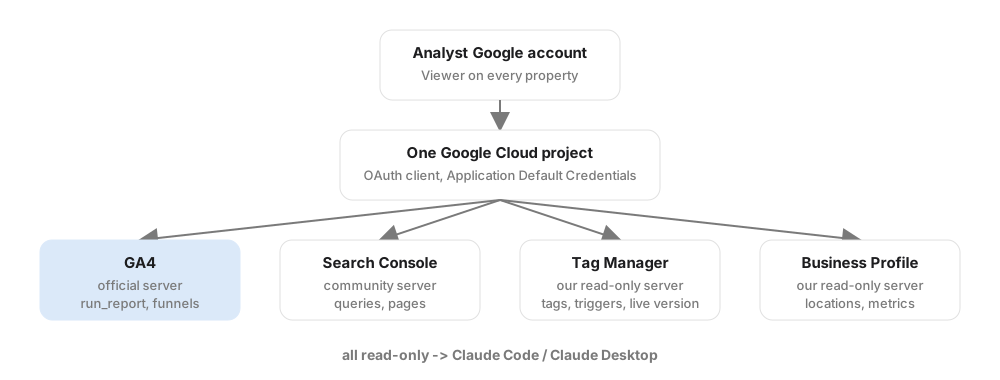
Google maintains an open-source MCP server for GA4 at github.com/googleanalytics/google-analytics-mcp. It uses the Admin and Data APIs and exposes five tools: get_account_summaries, get_property_details, list_google_ads_links, run_report and run_funnel_report. That is enough for almost every reporting question.
Setup is the standard Google API dance, done once:
- Create a Google Cloud project and enable the Analytics Admin and Data APIs.
- Create OAuth credentials and sign in with Application Default Credentials (
gcloud auth application-default login) as the account that has read access to the properties. - Install the server per its README and register it with Claude Code (
claude mcp add analytics -- <command from the README>), or add it as a connector in Claude Desktop.
Do the sign-in as a dedicated analyst account that has Viewer access to every client property, never an owner account. Every tool call then inherits that read-only scope.
Search Console
Google has no official server yet. Several community servers exist, all thin wrappers over the Search Console API, and the good ones are designed to sit next to the official Analytics server so one prompt can join GA4 sessions with Search Console queries. Use the same analyst account and the same Cloud project. One gotcha: a property only appears if the analyst account was granted access on that exact property, and the grant is manual in Search Console.

Tag Manager and Business Profile
Nothing official here either. We wrote our own small read-only servers. Tag Manager: list containers, tags, triggers, variables and read the live version, so Claude can answer "is the conversion tag on the thank-you page" without opening the UI. Business Profile: locations and performance metrics. Both run on the same analyst credentials. Writing a server like this is a few hours with a framework such as FastMCP, and keeping it read-only is a deliberate choice: an agent should never publish a GTM container.
Prompts we run on a schedule
Weekly digest. "For property X, compare the last 7 days to the previous 7: sessions, engaged sessions, key events by source/medium. Flag any channel that moved more than 20 per cent."
Landing page leak. "Top 20 landing pages by sessions with their conversion rate. List the ones above the median in traffic and below the median in conversions."
Search Console to content. "Queries with impressions over 500 and average position between 8 and 20 for the last 28 days. Group by topic and suggest a page for each group."
Tag check. "List every tag in the live GTM version that fires on the thank-you URL and what each one sends."
Guardrails
- Read-only credentials everywhere. Reporting never needs write.
- One Cloud project, one analyst account, so revoking access is one action.
- Watch API quotas. GA4 Data API has daily token limits per property; a chatty agent can hit them by lunchtime.
- Client data is client data. Summaries you share should not identify a client by trade plus city plus metric; that is not anonymous.
Set up this way, "how is the site doing" becomes a question you ask in a sentence and answer with numbers in a minute. If you want the same stack for your accounts, talk to us.