Using Novamira with Claude: give Claude Code a real WordPress developer's seat
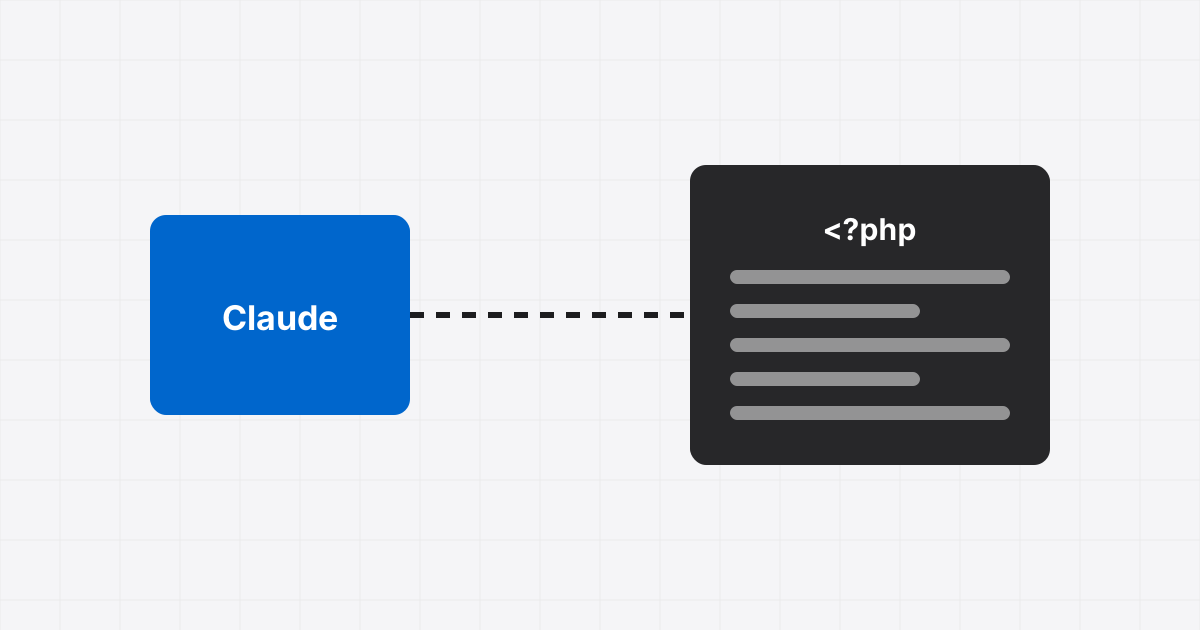
Novamira is a free WordPress plugin that turns your site into an MCP server. Connect it to Claude and the model can run PHP inside WordPress, read and write files, query the database and use WP-CLI. This is the setup we use for audits and repairs across the sites we manage.
Requirements
- WordPress 6.9 or later, PHP 8.0 or later
- An administrator account on the site
- HTTPS for a live site (local development works without it)
- Claude Code in a terminal, or Claude Desktop
Install the plugin
Download the release ZIP from novamira.ai, upload it through Plugins → Add New → Upload Plugin, activate it and open Novamira → Configuration. That page shows the two connection methods.
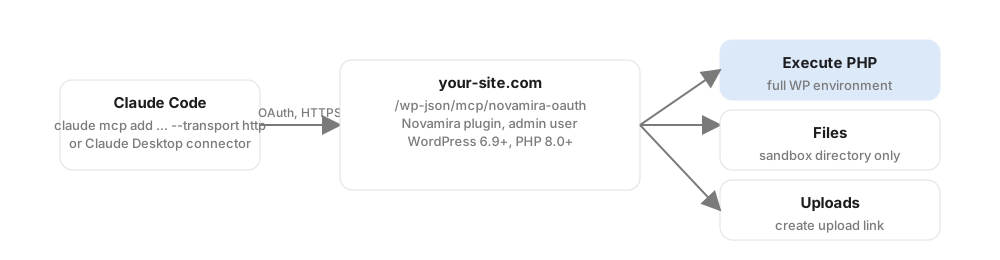
Connect Claude Code (OAuth)
One command, then approve in the browser window that opens:
claude mcp add novamira-your-site --transport http https://your-site.com/wp-json/mcp/novamira-oauthUse a different name per site (novamira-clientname) so you can keep several connected and choose which one a prompt targets.
Connect Claude Desktop
Settings → Connectors → Add custom connector, name it, paste https://your-site.com/wp-json/mcp/novamira-oauth, leave client ID and secret empty, then sign in through the WordPress login screen when prompted.
If OAuth is awkward on a host, the Configuration page can generate an application password instead. That uses the plain endpoint /wp-json/mcp/novamira, and the password shows once. Treat it like a root password, because it is one.
What Claude can now do
Novamira exposes nine abilities: Execute PHP, Read, Write, Edit, Delete, Disable and Enable File, List Directory and Create Upload Link. Execute PHP is the one that matters. It runs with the full WordPress environment loaded, so $wpdb, get_option, WP_Query and every active plugin's functions are available. PHP files Claude writes are confined to a sandbox directory, loaded on every request, crash-guarded, and can be disabled from the dashboard if one misbehaves.

Prompts we use every week
Audit, read-only. "Using PHP only for reads, list every page and template with Elementor data, and report elements that are hidden on all breakpoints or never rendered. Do not modify anything."
Diagnosis. "The contact form on /contact stopped sending on Friday. Check the form plugin's logs, mail configuration and any recent option changes. Report findings before proposing a fix."
Bulk content. "For every post in category X, add the disclaimer paragraph below the first heading. Show me three examples first, then do the rest."
Tracking check. "Find every place a GA4 or GTM snippet is injected: theme, plugins, custom code, options. Flag duplicates."
Safety rules that earned their place
- Staging first, backups always. Novamira's own README says it: "For dev and staging environments. With backups. Always." A full-access agent can do anything the admin user can.
- Say "read-only" in the prompt for audits, and ask for findings before fixes.
- One change per task. A ticket, a change, a check. Do not let a single prompt roam.
- Elementor caches rendered output. After Claude edits
_elementor_datadirectly, it must delete_elementor_element_cacheand regenerate CSS or the front end will not change. - Some managed hosts wipe the sandbox directory on cache purges or updates. Test on your host before relying on persisted code.
- Keep the connection under a dedicated admin user so activity shows up as the agent in logs, and revoke it when the engagement ends.
Used this way, Novamira turns half-day developer investigations into fifteen-minute conversations. Used carelessly, it is a loaded tool. If you want it set up with the guardrails in place, talk to us.